
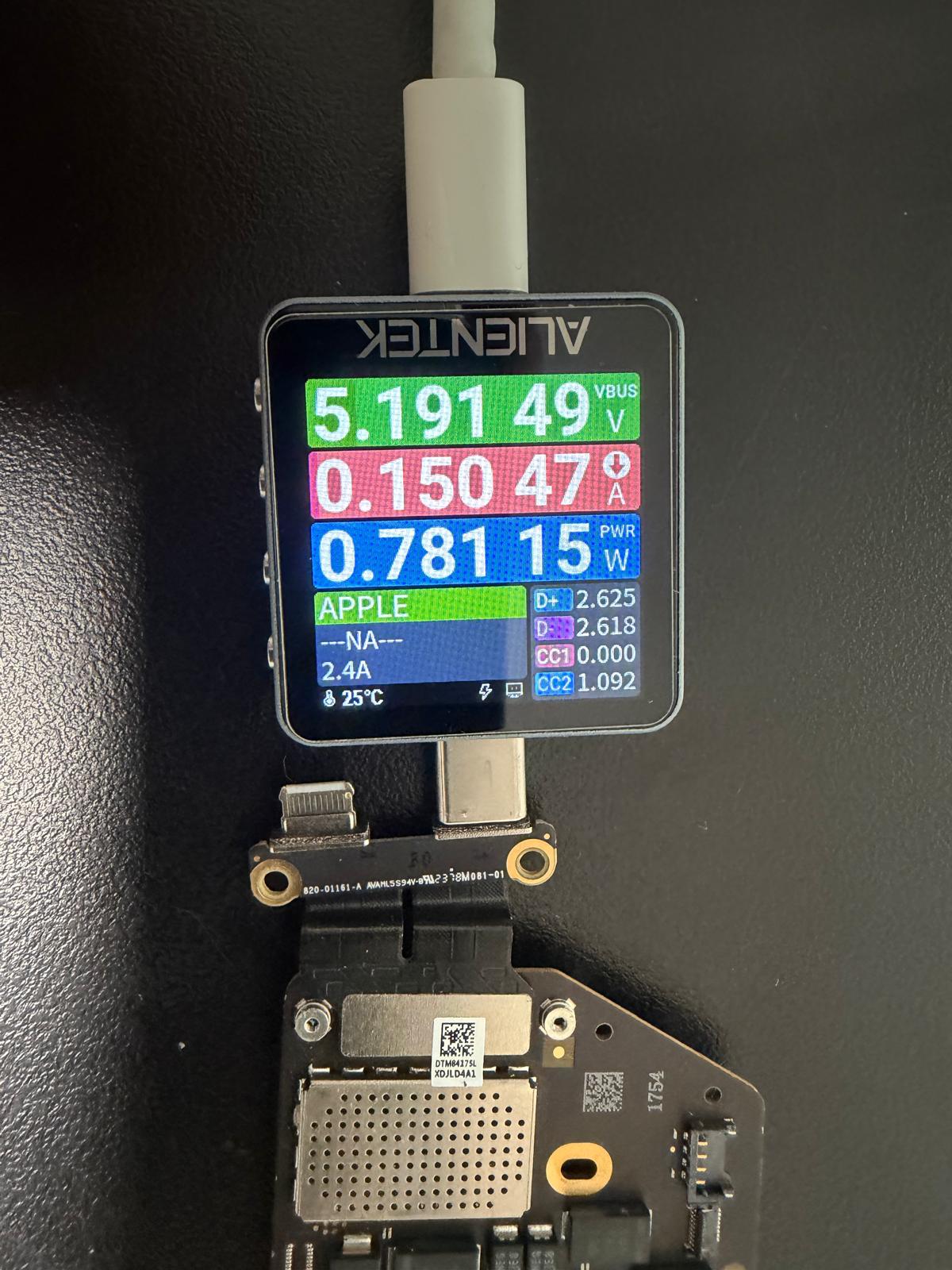
When a MacBook A3429 does not turn on, replacing the charger or holding the power button longer may not solve the problem. A USB-C power meter helps show whether the charger remains at its basic voltage or whether the Mac requests a higher Power Delivery profile.
Why a MacBook may remain near 5 volts
USB-C charging begins with a basic power connection. The charger and the Mac then communicate through USB-C Power Delivery to agree on a suitable higher-voltage profile. If that communication does not complete, the connection can remain near the initial 5V level and deliver very little power.
A failed negotiation can have several causes: a damaged cable or adapter, contamination or damage in the USB-C port, a failed charging controller, a battery-related problem, missing power rails, liquid corrosion, or a short on the logic board. The meter narrows the direction of testing, but it cannot select one cause on its own.
What the current reading can tell a technician
Current draw shows how much power the Mac is accepting at that moment. A very low or repeating pattern may indicate that the startup sequence is stopping early. A changing pattern can point toward a different stage of power management than a completely static reading.
The useful question is not simply “Is there voltage?” It is whether the expected power sequence is occurring in the correct order. That requires comparing the meter behaviour with measurements on the logic board.
External power path
Confirm the adapter, cable, connector orientation, and each USB-C port with known-good equipment.
Board power sequence
Check the always-present rails and locate the stage where normal power-up stops.
Short and heat checks
Measure resistance safely, inspect for corrosion, and use controlled techniques to locate abnormal heating.
A responsible A3429 no-power diagnosis
- Record the symptoms. Note whether the failure followed a spill, update, impact, battery drain, or charging problem.
- Verify external equipment. Test with an appropriate known-good adapter and cable before opening the Mac.
- Inspect every port. Look for debris, corrosion, bent contacts, or physical damage without using metal tools inside the connector.
- Disconnect power safely. The battery and charger must be handled correctly before resistance or board-level measurements.
- Test the logic-board sequence. Measure relevant rails and signals based on the board design rather than replacing parts by guesswork.
- Confirm the repair. A successful result includes stable charging, startup, battery communication, port operation, and a sustained functional test.
Why data changes the repair plan
On modern MacBooks, internal storage is not a removable drive that can simply be installed in another computer. Storage access can depend on the original logic board and its security hardware. If the Mac contains files that are not backed up, mention that before any repair or replacement decision.
Restoring the original board may provide the best route to the customer’s information. In some cases, the practical goal is to make the Mac stable long enough to create a verified backup before deciding whether further repair is worthwhile.
What not to do with a no-power MacBook
- Do not keep reconnecting chargers if the Mac has liquid damage, unusual heat, or a burning smell.
- Do not purchase several adapters before a known-good charger and cable have been tested correctly.
- Do not scrape a USB-C port with pins, knives, or other metal tools.
- Do not apply uncontrolled voltage to a logic board or probe it while the battery remains connected.
- Do not approve a complete board replacement before discussing the value of the data on the original board.
Repair or replace?
The right decision depends on the failed area, the overall condition of the Mac, the importance of its data, and the cost of a reliable repair. One failed component or corroded circuit may be economical to repair. Severe multi-area damage may make replacement more sensible.
A clear diagnosis should explain the evidence, the repair risk, and the expected result before work begins. The USB-C meter is an excellent first observation—but the decision should come from the complete test, not one number on the screen.
MacBook A3429 service in Edmonton
Get a circuit-level diagnosis before replacing the Mac
AppleMac provides in-house Mac logic-board diagnostics and repair by appointment. Tell us if your data is important so it can be included in the repair plan from the beginning.